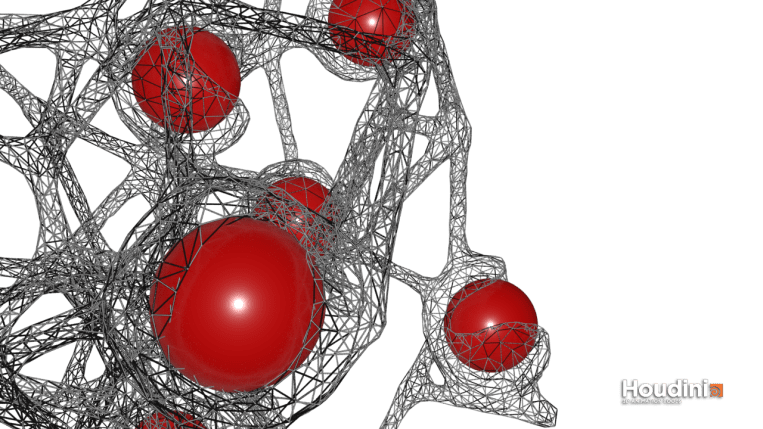
I watched this amazing tutorial on volume boolean denting (link) using boolean functions on Volumes in Houdini. We’re essentially converting two geometries in their polygon forms to volumetric forms (voxels) and perform boolean difference and intersection before finally merging them.
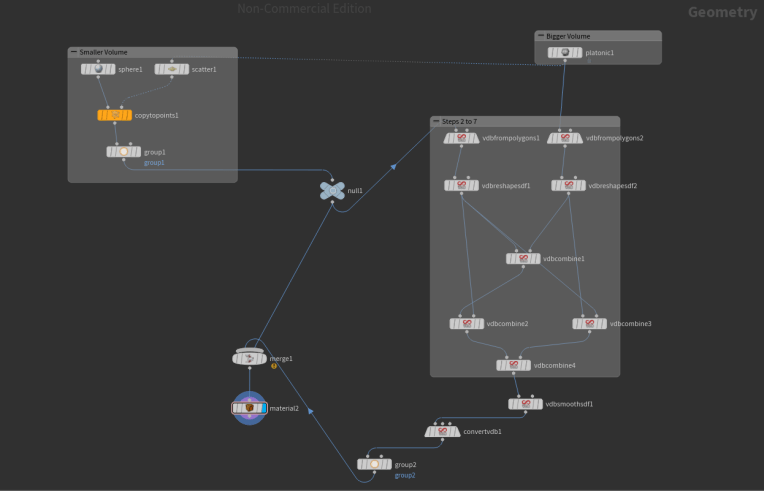
I will be sharing the node network in this post and also describe each step to make it easier to understand
- Create two geometries – usually the bigger polygon will be dented with a smaller one
- Convert the polygons into volumes by using the VDB from polygons node
- Use the VDB Reshape node to expand both the volumes slightly before performing boolean difference. This will help create a bulge where the dent is formed.
- Use the VDB Combine node to combine both the expanded volumes using SDF Intersection function
- Now remove the smaller volume(before expansion) from the expanded one using VDB Combine and choosing the SDF Difference function
- Remove the smaller volume from the bigger one using the same VDB Combine node and SDF difference function
- Combine the last two nodes using SDF Intersection
- Smooth the volume using VDB Smooth
- Convert the resulting volume back to polygons using Convert VDB node
- Merge the original small sphere with the final polygon mesh to make it visible

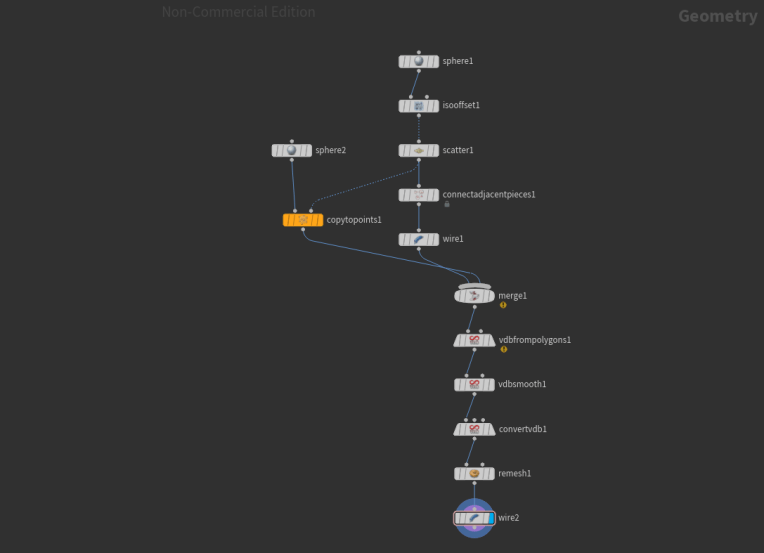
Node set up for the abstract geometry is pretty simple:
 Thulasi Pillai